Layouts
Guideline for positioning primary actions and tabs based on structural scope.
This guideline explains where primary actions (create buttons) should be placed when a page contains an entity overview, optionally includes tabs, and shows a dataset (table/grid/list).
1. Scope Model (Aqqo Scope Ladder)
Aqqo distinguishes four scope levels:
- App-level
Navigation and global search (for example, "Search in Aqqo"). - Page-level
A top-level entity in Mailing (for example, "Mailing Templates", "Mailing"). - Sub-entity level (Tabs)
Sub-entities inside a page (for example, "Senders" / "Recipients"). - Dataset level
The concrete data view (table, grid, list).
Primary actions always belong to the highest relevant level of their scope.
2. Entity Index Without Tabs
For a standard entity overview without tabs:
The page header contains the title and a single primary action (for example, "Add new sender").
Directly above the dataset, place dataset controls such as search, filters, and optional export.
There should be at most one primary action per scope.
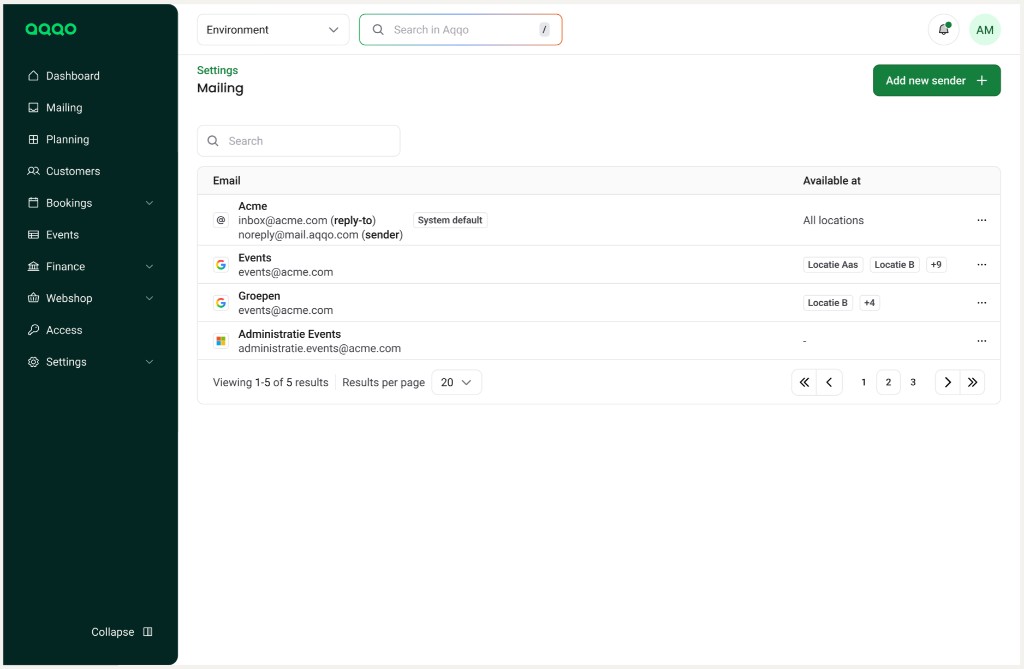
Example:
Mailing -> "Add new sender" in the page header.
3. Entity Index With Tabs (Sub-entities)
When tabs represent sub-entities (for example, "Senders" / "Recipients"), the create action belongs to the active tab, not to the page as a whole.
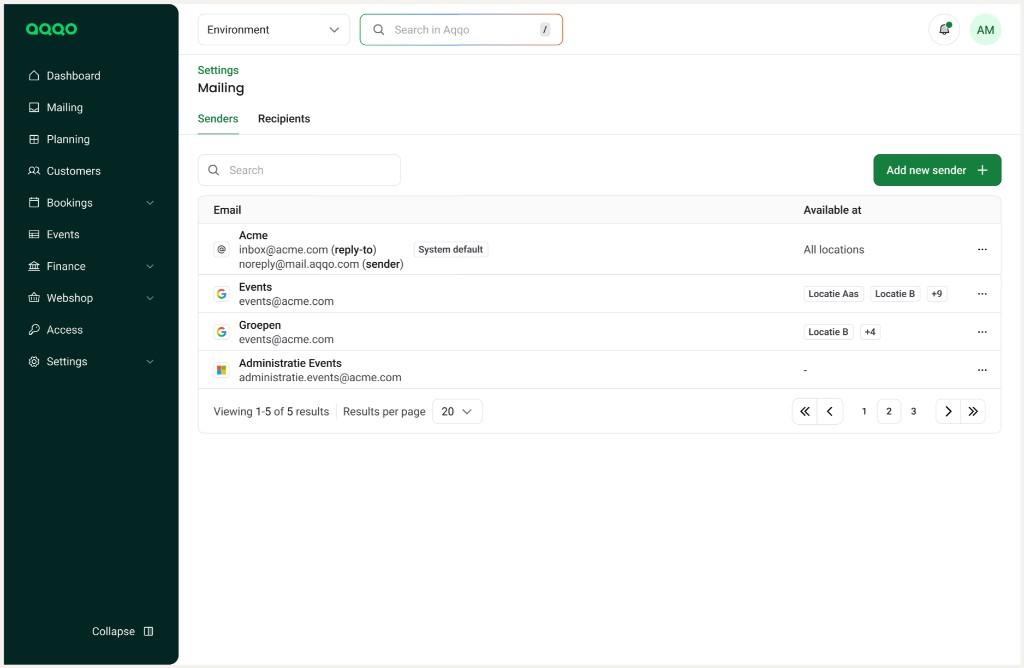
4. Dataset Controls
Search, filters, and sorting:
always belong to the dataset, are placed directly above the table or grid, and do not belong in the page header unless the search is global.
5. Decision Rule (Short)
Use this decision tree:
Does the action apply to the whole page? Place it in the page header.
Does the action apply only to the active tab? Place it at tab level (below tabs, right aligned).
Does the action affect only the dataset view? Place it in the dataset control bar.
6. Design Principle
Aqqo positions actions according to structural scope, not visual convenience.
Primary actions always follow the entity hierarchy.